For everyone with exercises from a physiotherapist
Remember the exercises. Every day. Until they're done.
FysiCal reminds you of your exercises at the times you choose – and keeps nudging you until you mark them as done. No account, no subscription, no ads.
Free. Requires an iPhone running iOS 17 or later. English, Danish, German, French, Spanish and Portuguese.
Features
Built for one thing: getting the exercises done.
The hard part of rehab is rarely the exercises. It's remembering them three times a day for eight weeks. FysiCal takes care of the remembering.
- Reminders that don't give up
- A notification at every scheduled time – then another at the interval you choose until the session is marked as done. Never after midnight.
- Your own times
- Morning, noon, evening – or anything else. Create the times that fit your day and attach exercises to each of them.
- The plan from your physio
- Enter exercises with sets, reps and a note. Pause exercises when the plan changes instead of deleting them.
- Feedback after every session
- Log difficulty, pain and a short comment – something concrete to bring to your next appointment.
- History, day by day
- See which days you completed and when. Go back and edit or add feedback if you forgot.
- No account. No ads.
- No profile, no email. Your data lives on your phone and is backed up anonymously so it survives a reinstall.
A look inside
Simple to use – even when your knee isn't cooperating.
Big buttons, few screens, nothing to learn. These are the five screens you'll use most.
-
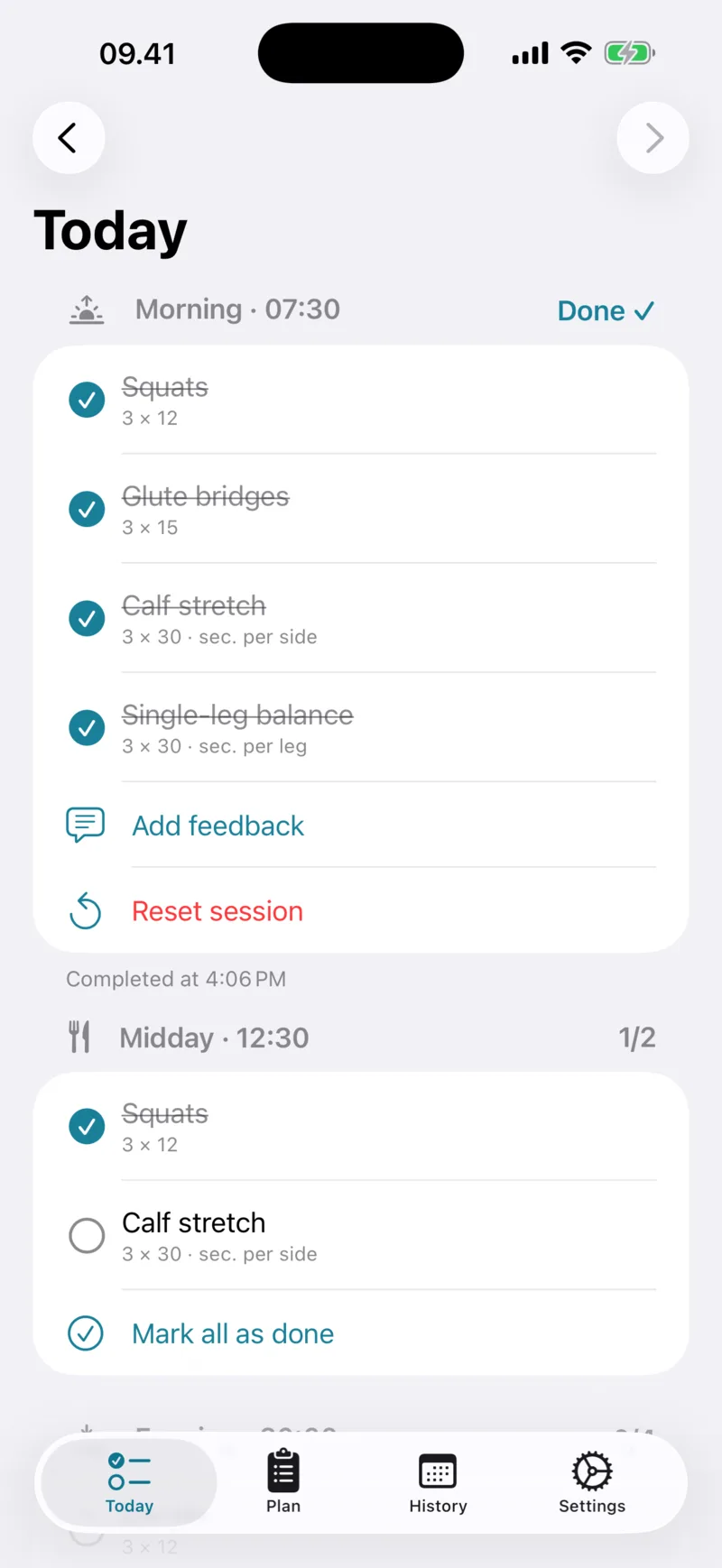
Today
Today's sessions with exercises you tick off one at a time – or all at once.
-
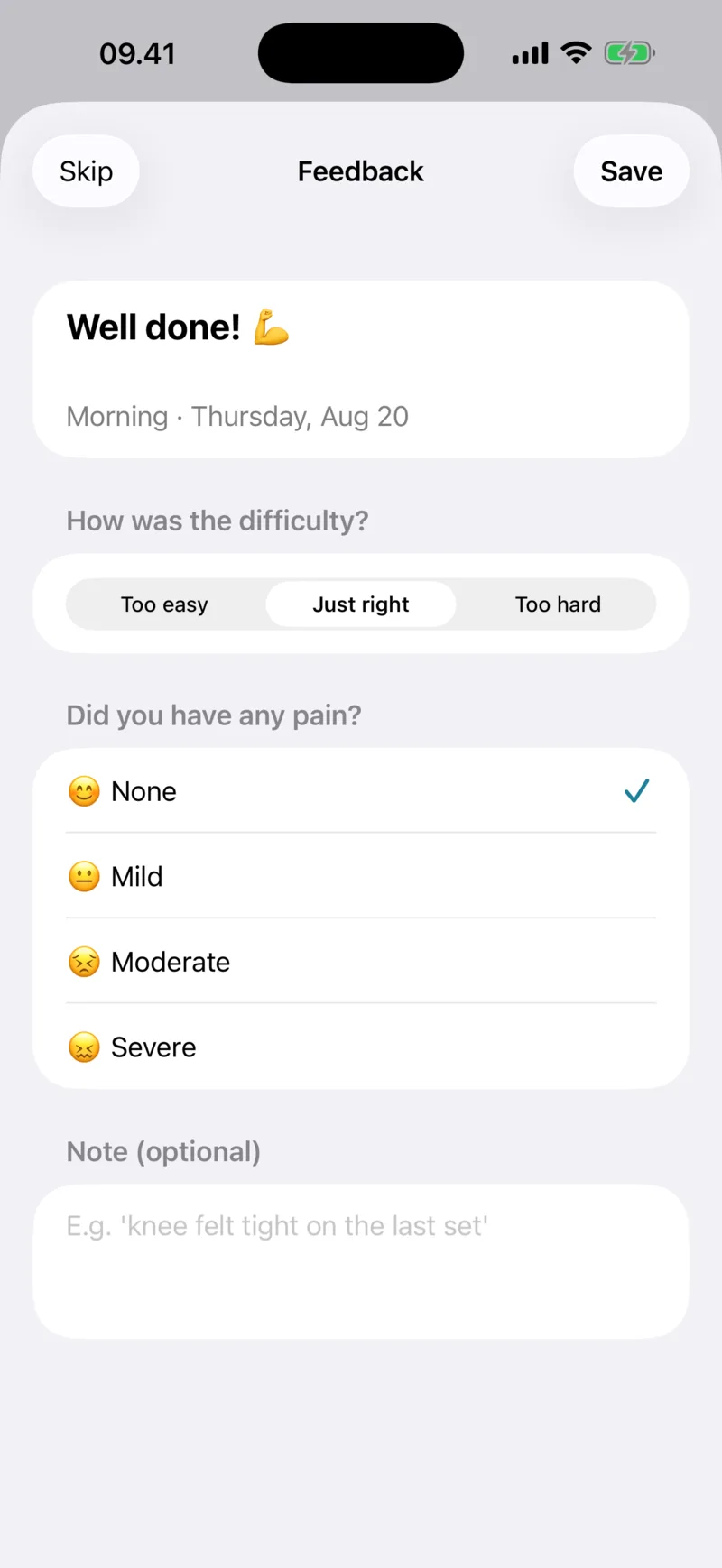
Feedback
After a session: how hard was it, and did it hurt? Optional, but invaluable at your next appointment.
-
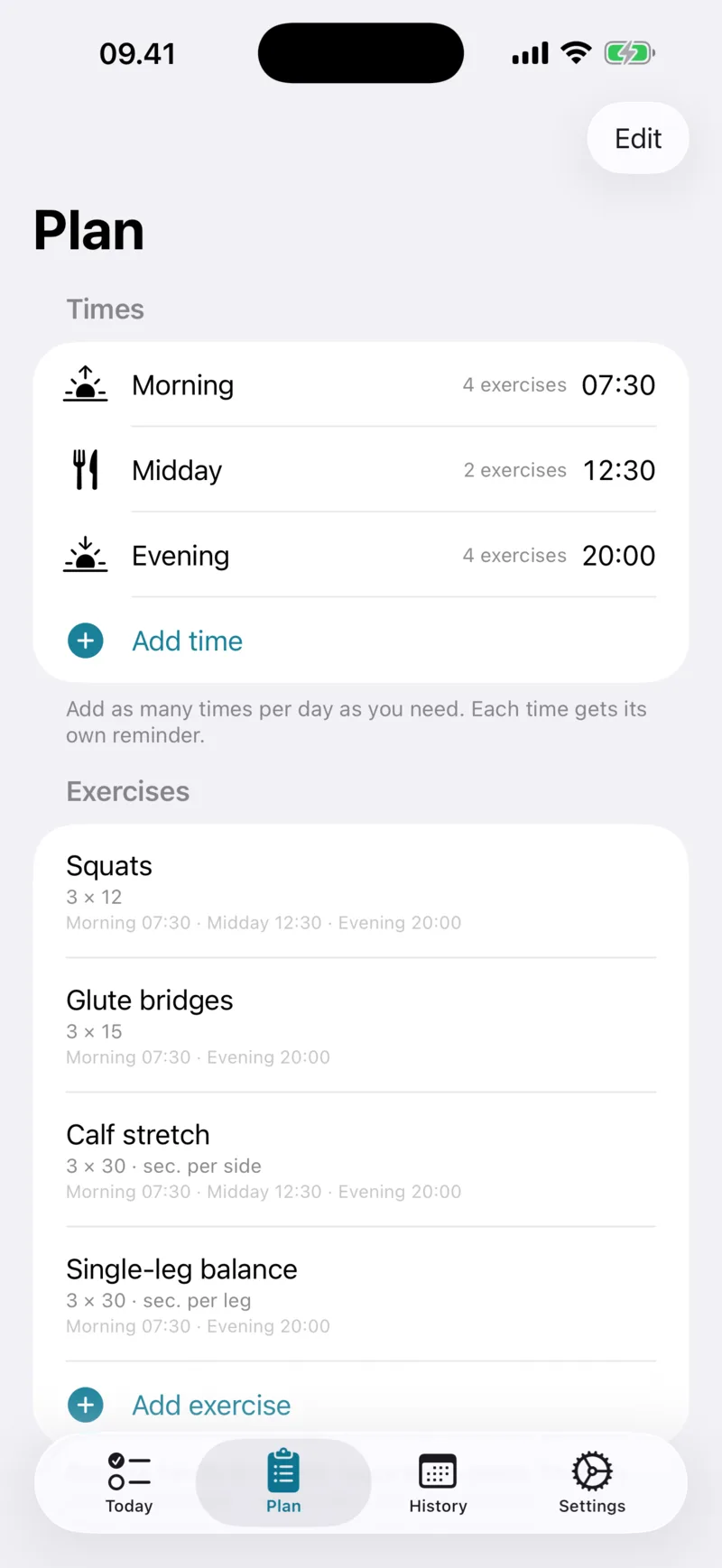
Plan
Your times and exercises in one place. Adjust them whenever your physio changes the programme.
-
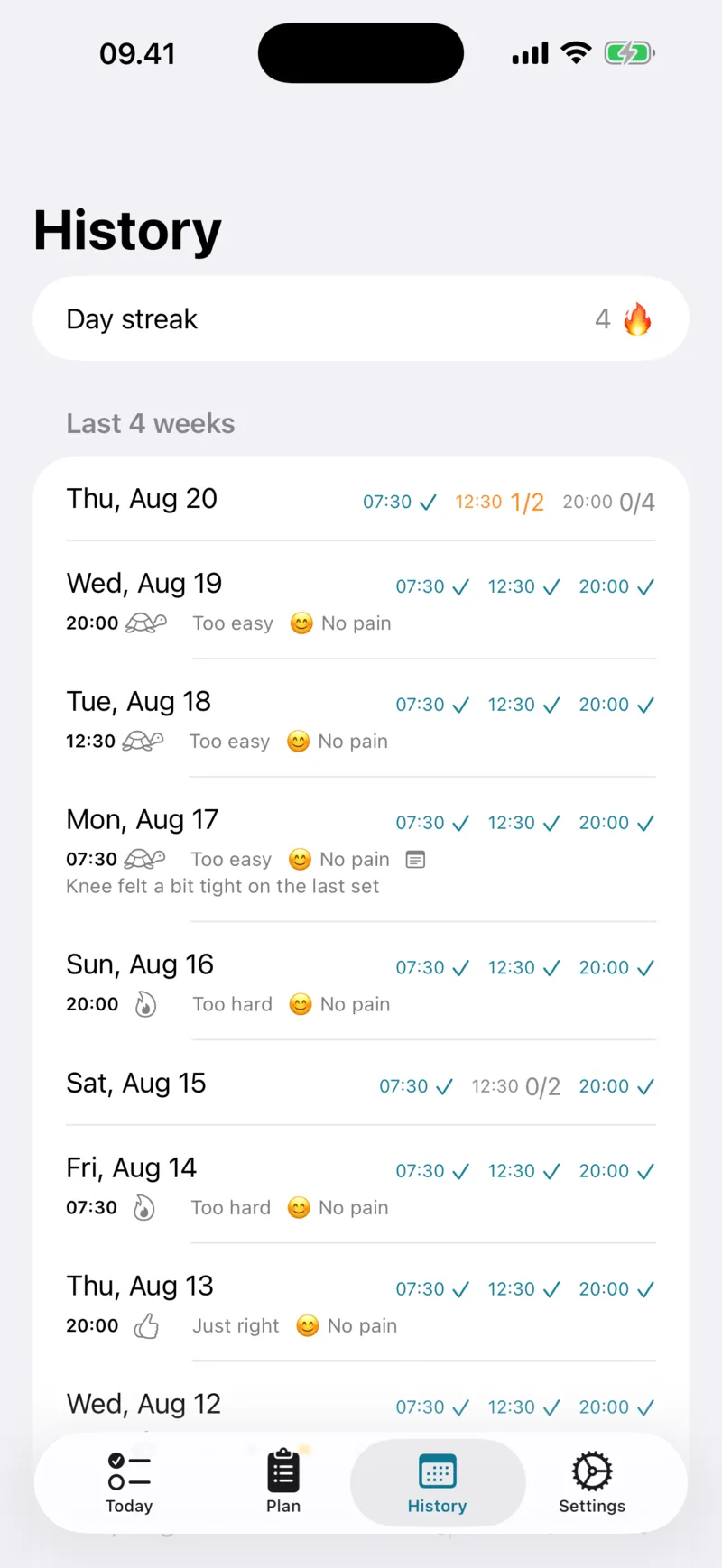
History
Days in a row, completed sessions and your feedback – four weeks back.
-
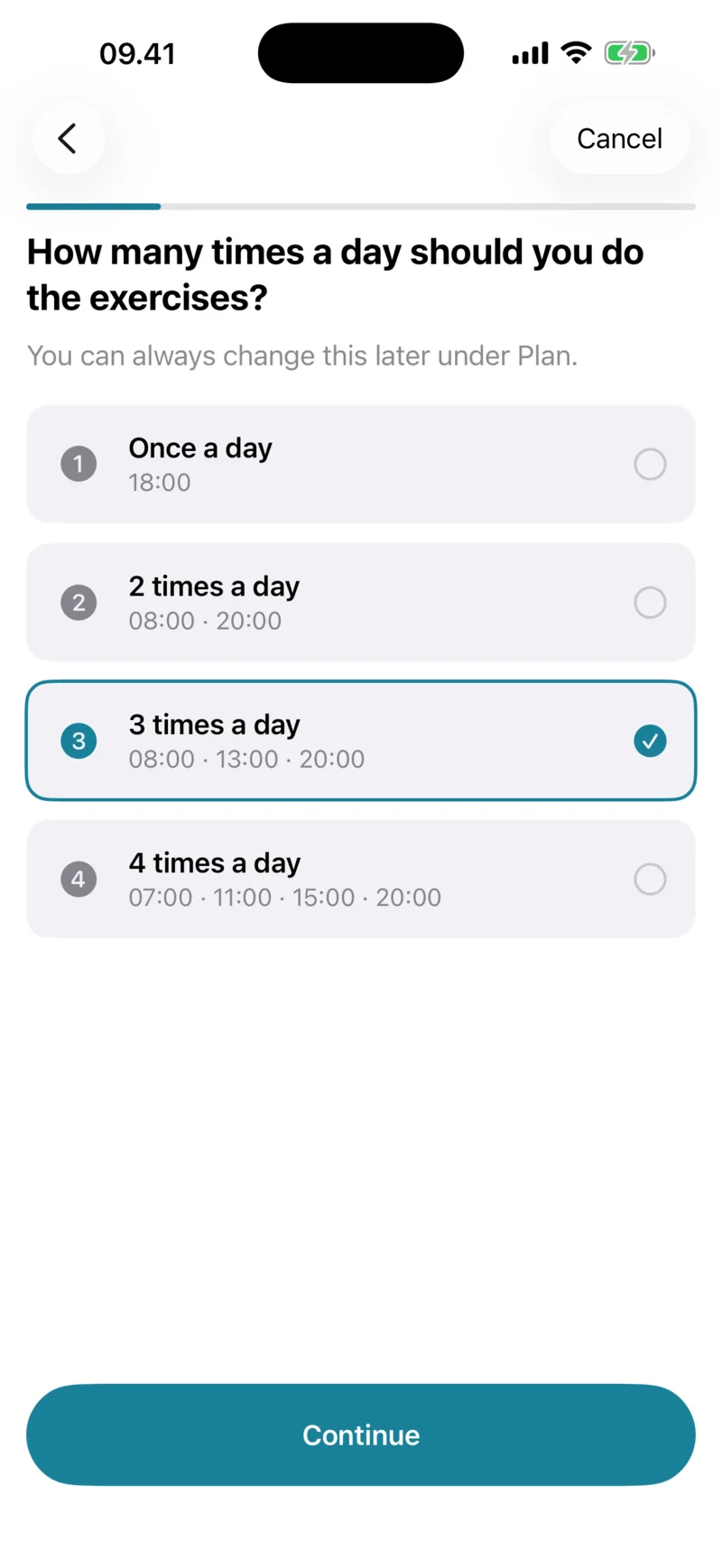
Setup
Answer three questions and your plan is ready with reminders. Under a minute.
How it works
Ready in under a minute.
-
1
Pick your times
When during the day suits you? Choose one or more times – for example morning, noon and evening.
-
2
Enter the exercises
Add the exercises from your physiotherapist with sets and reps, and pick which times they belong to.
-
3
Allow notifications
FysiCal handles the rest. When it's time you get a notification – and again at regular intervals until you mark the session as done.
For physiotherapists
Build the programme here. Your client imports it with one tap.
Enter sessions and exercises in the browser and hand over a short link or QR code. Your client taps it and FysiCal opens with the plan ready.
Open the programme builder- 1
Fill in the programme
- 2
Print the sheet or send the link
- 3
Your client taps it – FysiCal opens with the plan ready
Privacy
Your data is yours. Even the anonymous bits.
FysiCal runs without an account. Your plan, history and feedback live on your phone and are backed up to an anonymous cloud profile that only your own installation can read. We don't track you across apps and never sell data.
Read the privacy policyNo account, email or phone number. The app works from the first launch.
No tracking and no ads. We use no ad networks or tracking SDKs.
Delete everything with one tap. Under Settings you can permanently delete your plan, history, feedback and backup – on the phone and in the cloud.
Not a medical app. FysiCal makes no diagnoses and gives no treatment advice. Always follow your physiotherapist's instructions.
- Does the app cost anything?
- No. FysiCal is free, with no subscription, in-app purchases or ads.
- How often will I be reminded?
- You get a notification at the scheduled time and then another at the interval you choose (5–120 minutes) until you mark the session as done. You set the maximum number of reminders per session time, and reminders are never sent after midnight.
- Does the app follow me to a new phone?
- Your data is backed up automatically to an anonymous profile that is restored when you reinstall the app on the same device. When moving to a new iPhone we recommend using Apple's own phone-to-phone transfer, which also moves FysiCal's data.
- Can my physiotherapist see my data?
- No. Nobody but you has access. You can show your history and feedback from your phone at your next appointment.
- How do I delete my data?
- Go to Settings in the app and tap Delete my data. This permanently removes your plan, history, feedback and cloud backup. See the privacy policy for details.
- Is there an Android version?
- Not yet. FysiCal is currently available for iPhone only (iOS 17 and later).
Start with your next session.
Get FysiCal for free on iPhone, enter your exercises and let the app do the remembering.